Pitchboard: a tactics board of my own
I watch a lot of football and I’ve never been happy just watching it. I want to know why a press worked, or how a full-back ended up unmarked with half the pitch in front of him. Reading about it gets you part of the way there. After that you want to draw it.
So I’d go looking for a tactics board online, and that’s where it kept falling apart. The free version of every one I tried is a demo. Dragging players around a pitch is free. Animating between shapes and getting the result out as a file you can send someone are not, and the board you drew stays inside somebody’s account. I don’t have a problem with people charging for software, but I’m one person trying to make sense of a match on a Sunday evening, and paying monthly for that never felt worth it.
Pitchboard is my version. It started as an experiment, since canvas rendering and animation are things I don’t touch at work and wanted to learn properly. A tactics board is a good excuse for it, because it’s real geometry and real timing and you can see straight away when you’ve got it wrong. Everything runs in the browser, with no account and no server doing the rendering.
Setting up the board
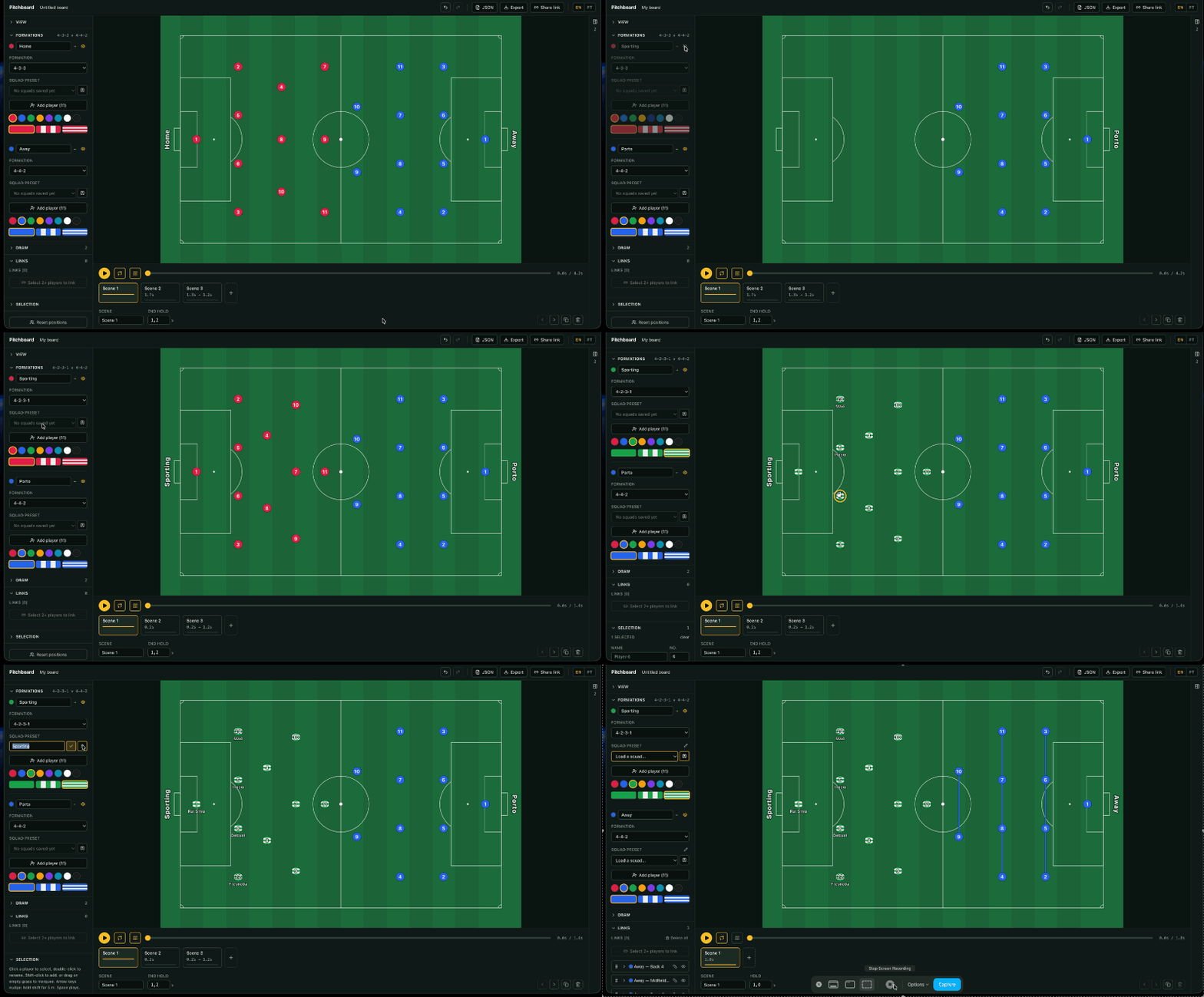
You pick a formation for each side and the players land in the right places. The shapes are generated from the notation rather than positioned by hand, so 4-2-3-1 and 4-4-2 are read as the numbers they are, and each one brings its own links with it. Double-clicking a player renames or renumbers them, and a squad typed out once can be saved as a preset and dropped onto a later board. Each team gets a kit colour and a pattern.
Changing formation keeps the squad and only resets the shape. That’s the part I got wrong first time round, because the old links stayed behind and left a stale connector sitting under the new one.
Runs between scenes
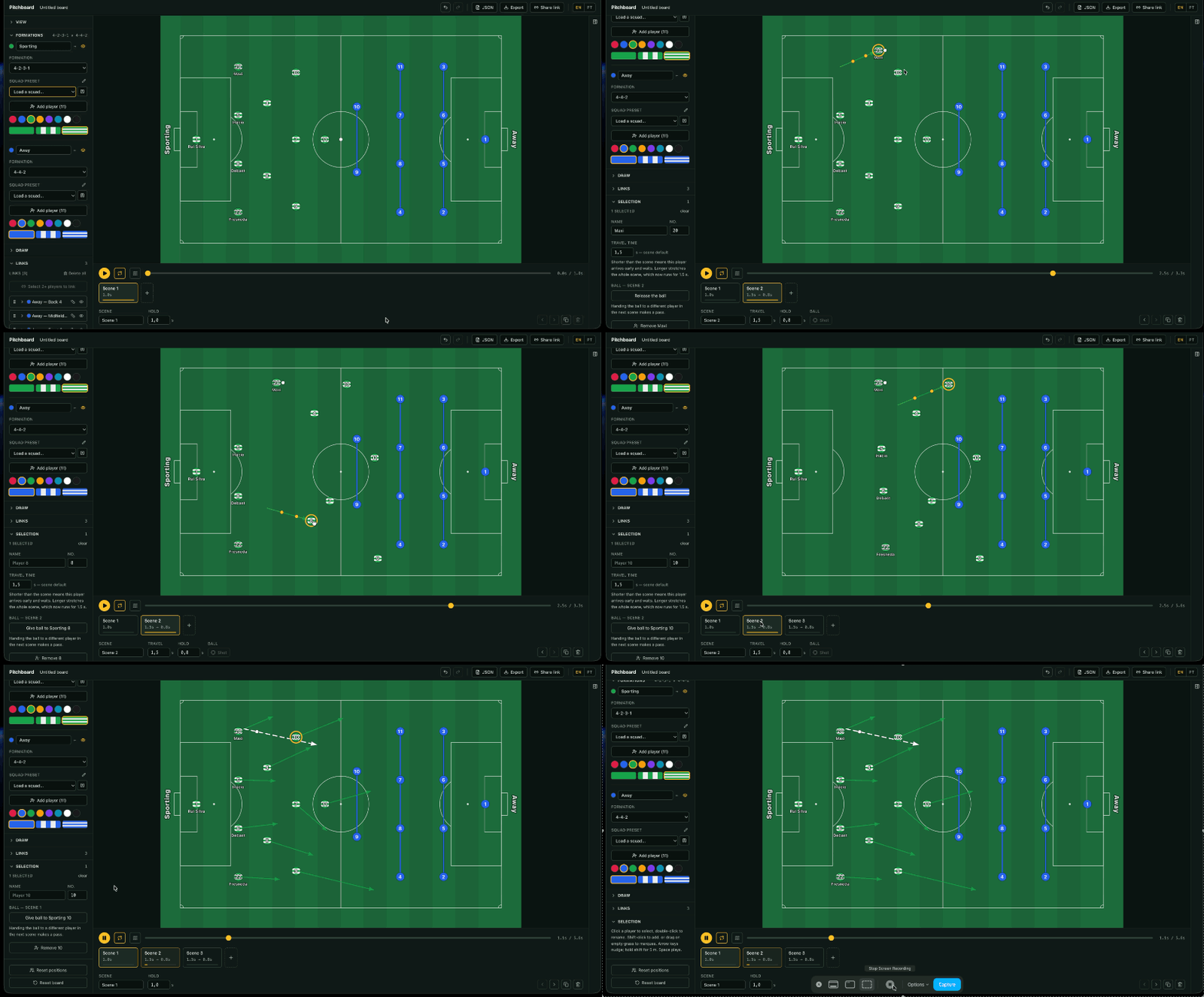
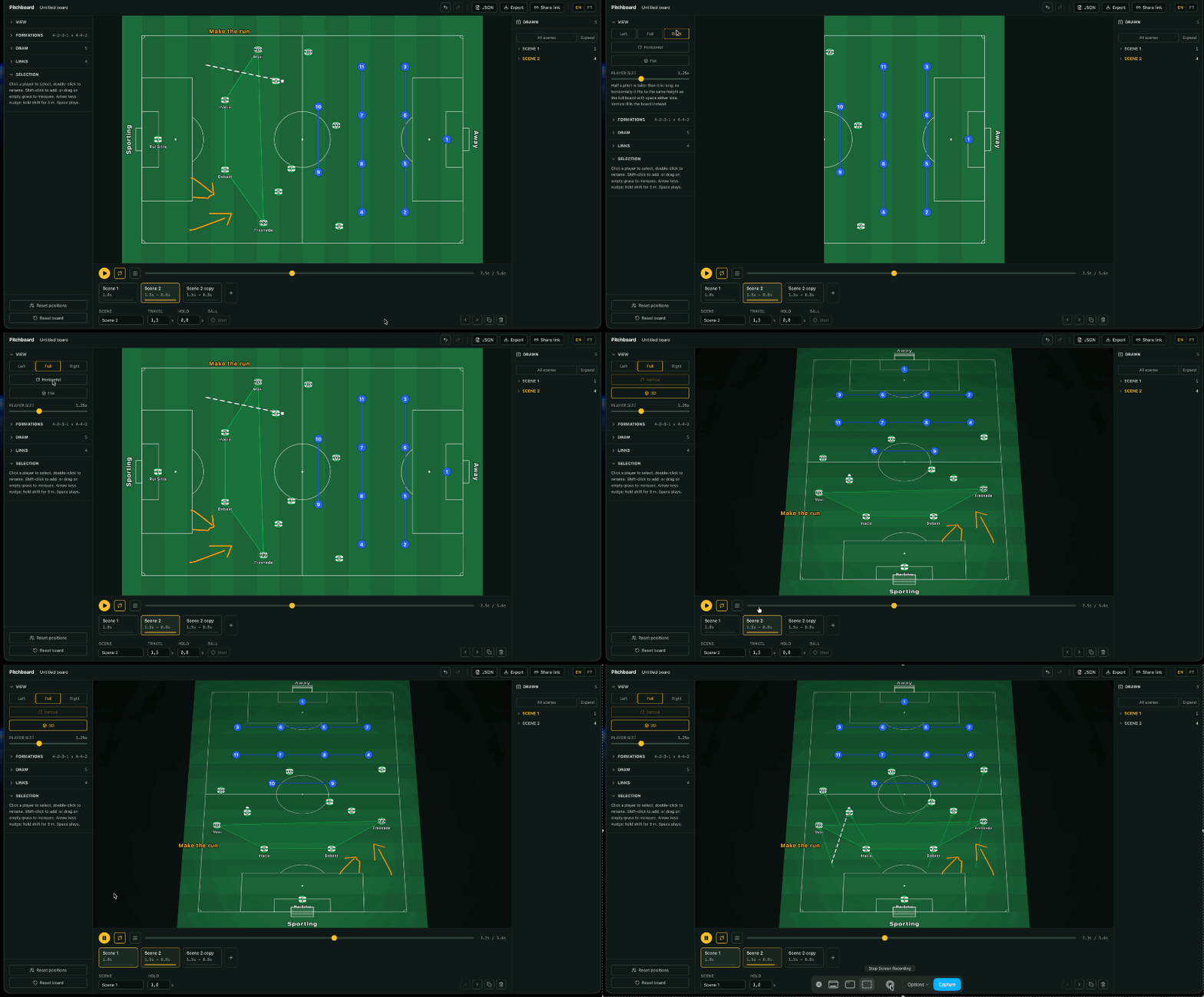
The timeline is a list of scenes, and a scene is a set of positions. Drawing an arrow on a player sets the curve they travel along to reach their position in the next scene. A player without an arrow moves in a straight line.
The mix is deliberate. With straight lines only, an overlapping full-back and a winger cutting inside look identical, which is wrong. Giving every player their own path with a start and a duration is more expressive, much harder to author, and has no cheap answer to what the shape looks like three seconds in, which is the question you opened the board to ask.
Live links
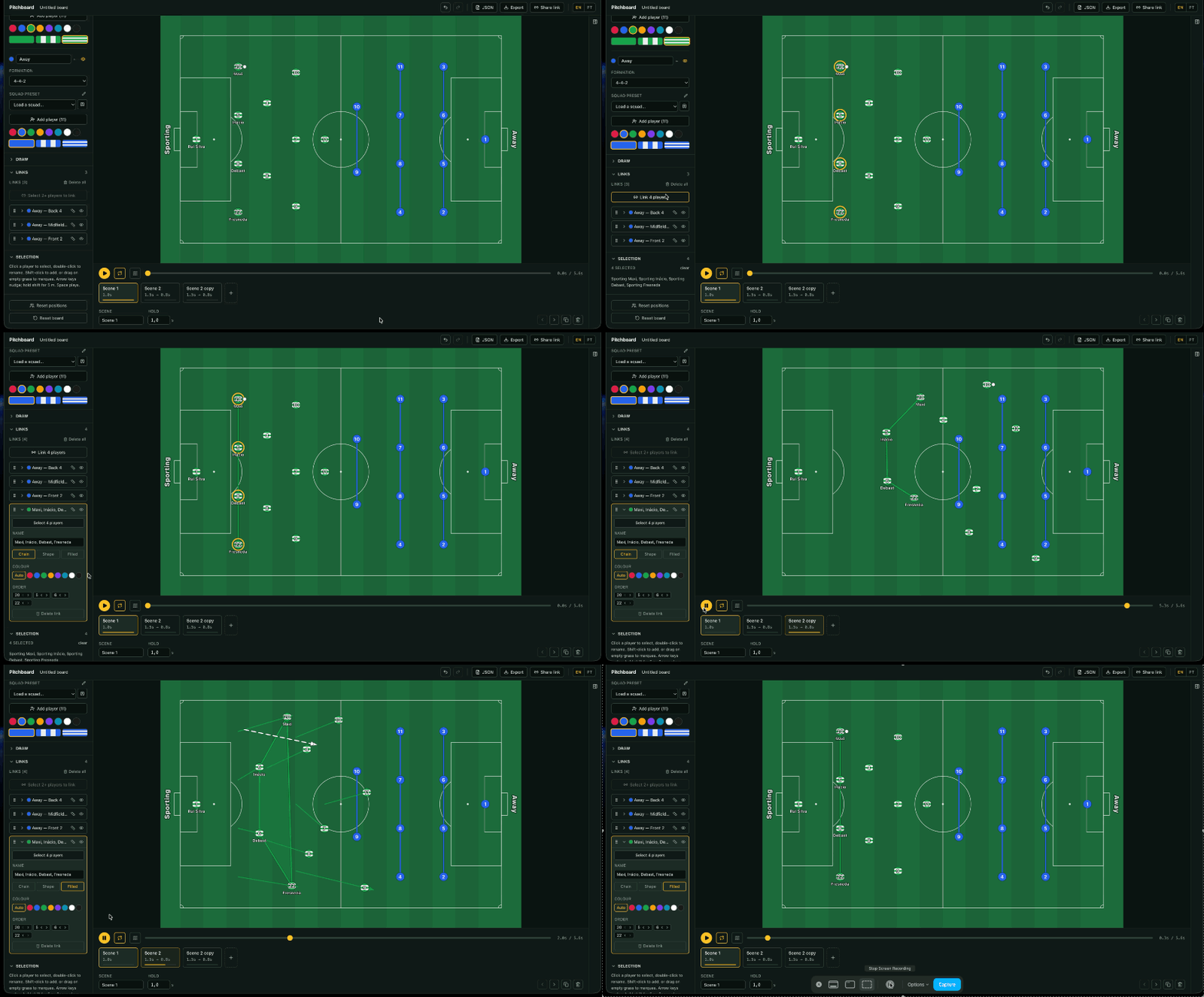
This is the feature the rest of it got built around. Select the back four, or the midfield three, and draw a connector between them. The connector isn’t a shape stored anywhere. It’s recomputed every frame from where those players are at that moment.
So it deforms while they move. You watch the back four stretch as one defender steps out to press, and the gap open up behind them. The other boards I looked at treat a unit’s shape as decoration redrawn per scene, so they can’t show the moment it breaks. A link can be an open chain, a closed polygon or a filled area, with distances in metres if you want them.
Drawing on the board
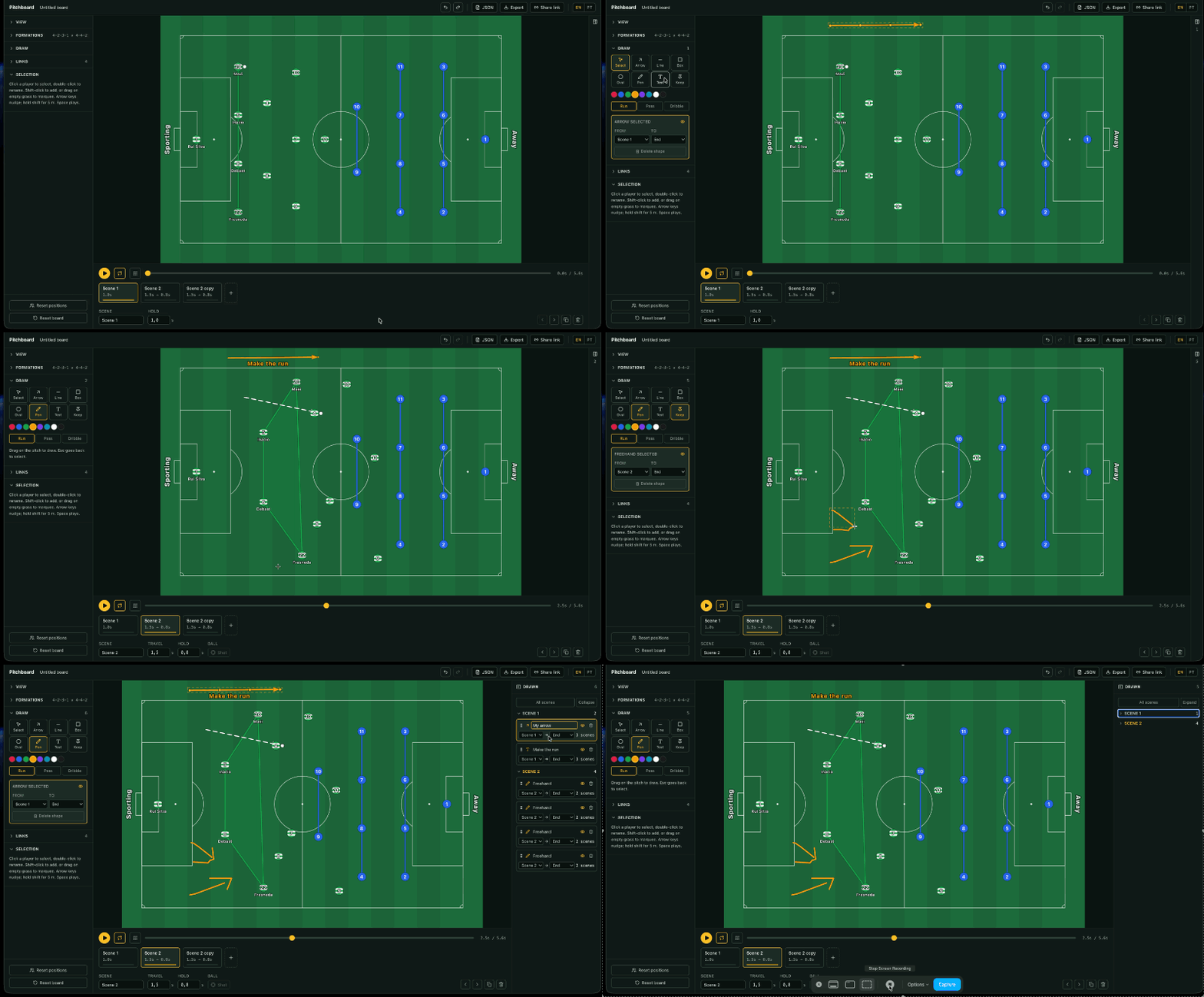
Arrows, lines, rectangular and oval zones, freehand and text. Each shape carries the range of scenes it’s visible for, so a zone can matter while the press is on and be gone once the ball is won, which is most of the reason to shade one in the first place.
Zones draw underneath the players and the links, and marks draw over the top. Clicking follows the same order, so a zone loses a click to a player standing on it and an arrow wins one.
The 3D view
A slight camera angle is the single thing that most separates a tactics animation from a diagram, and it’s cheaper to get than it looks, because the pitch in it is still flat. The ground is warped as one image and the players stay upright on top of it.
I took the numbers off a reference frame instead of guessing. Measuring where the goal lines and the halfway line land gives a tilt of around 43 degrees on a long lens. What surprised me is how little the perspective contributes. The near half is only about 17% taller on screen than the far half. Most of what sells the angle is the mow stripes, the fall-off towards the far end and the shadow under each player.
Export and sharing
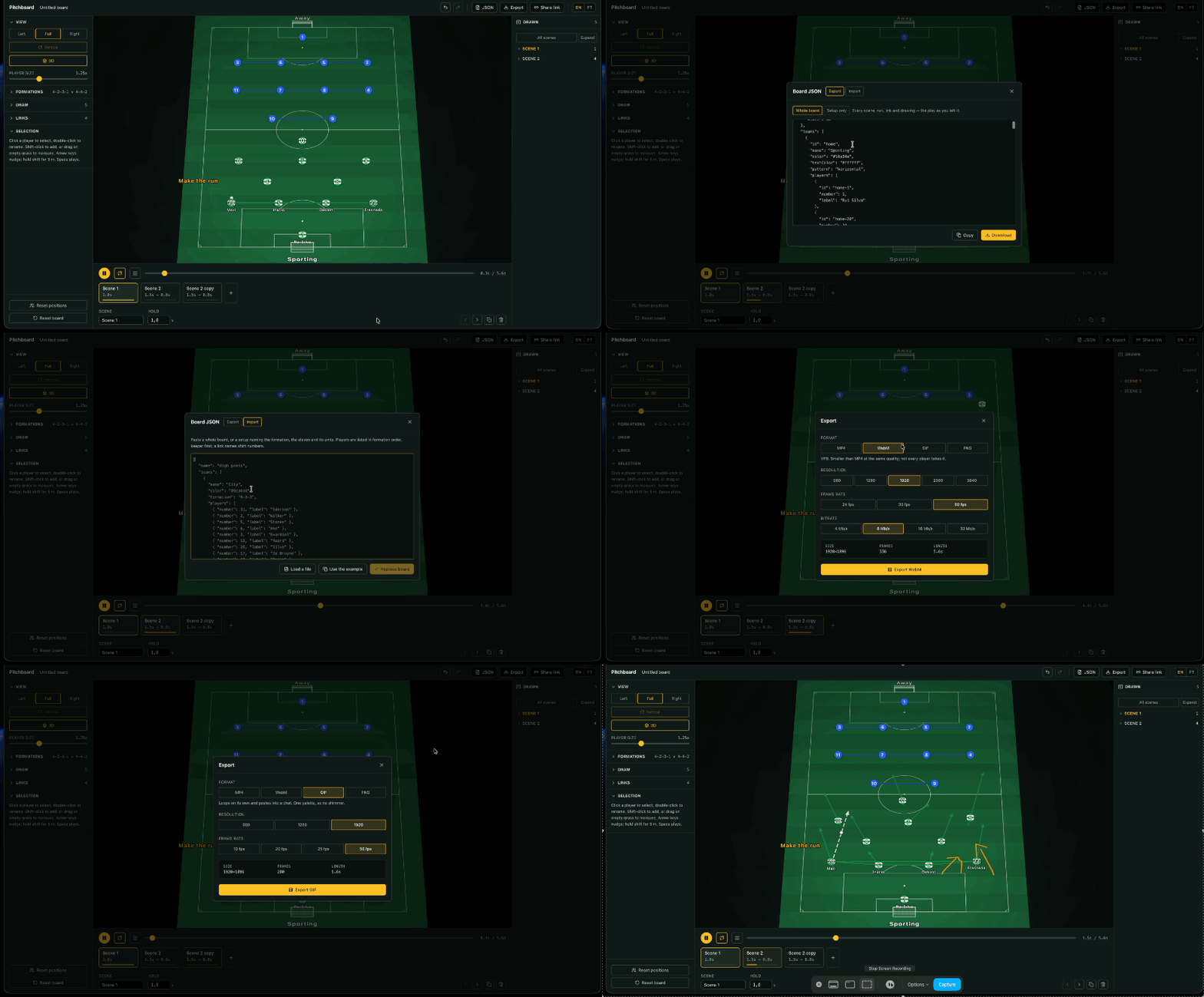
MP4, GIF or PNG, encoded in the browser. The same drawBoard function that paints the editor canvas
runs in a worker against an offscreen one, so the export can’t drift from what you previewed.
GIF is a first-class option rather than a fallback, because a GIF is what actually pastes into a group chat. Its palette has to be quantised once across the whole animation. Do it per frame and the pitch greens crawl.
Sharing is a link and nothing else. The board is compressed into the URL itself, so nothing is stored on a server and there’s nothing to sign into. Opening one gives you the board read-only, and you can fork it if you want to carry on from there.
Where it is
The board, the animation, the links, the drawing tools, the 3D view and export all work, and whatever you have open autosaves locally. The interface is in English and Portuguese. Infrastructure and storage for boards too large to fit in a link are what’s left.